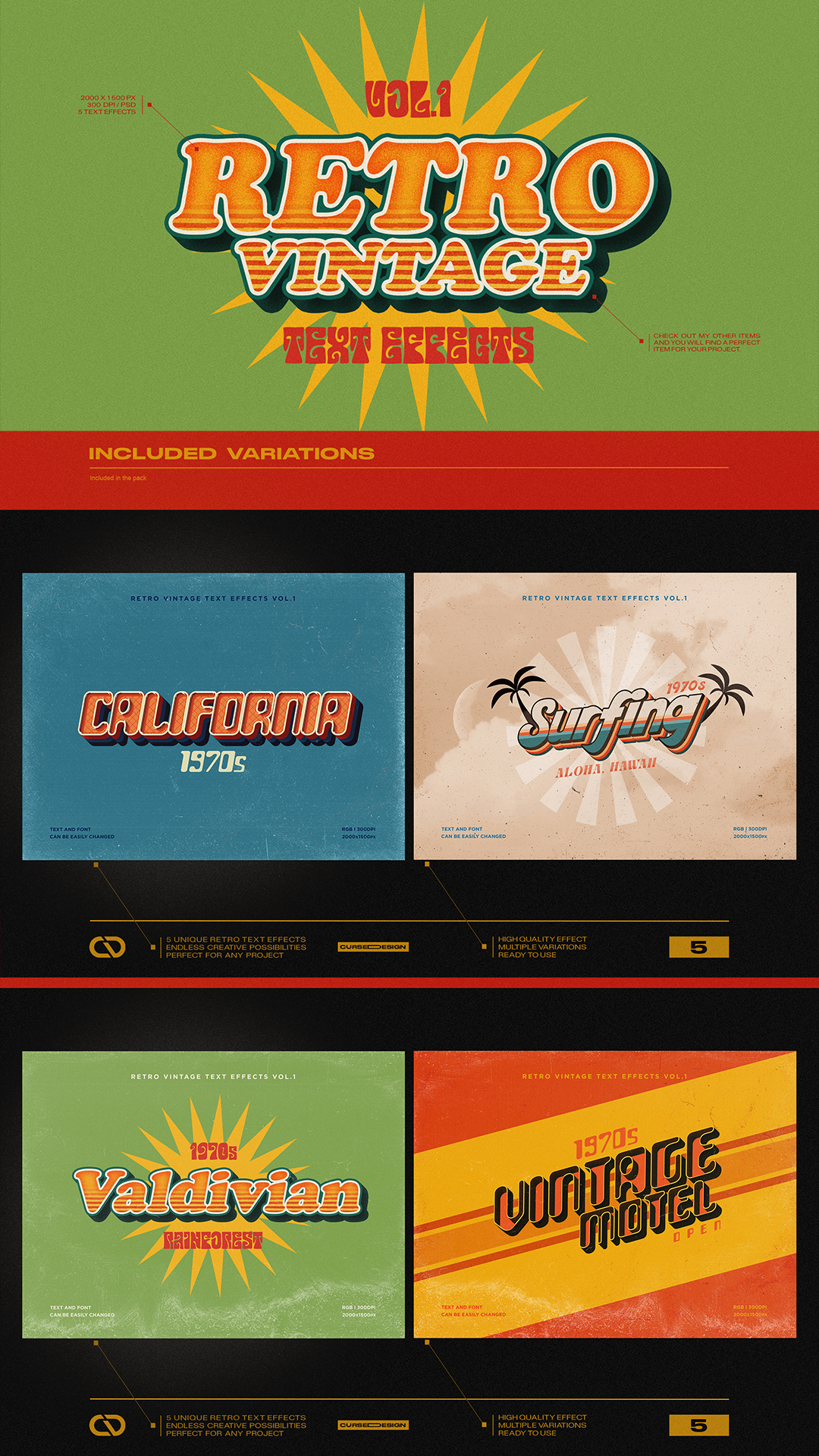

Retro Vintage Text Effects Vol.1
View original on DeviantArt ↗ · © graphicitems
Give your designs an authentic retro vibe with this high-quality collection of vintage text effects for Photoshop. This pack includes 5 professionally crafted styles that instantly transform your text into eye-catching retro typography.Perfect for designers who want to save time while achieving a bold, nostalgic look for their projects.FEATURES5 fully editable PSD files2000x1500 Pixel dimension.RGB color mode.Optimized for design / 300 Dpi.Smart object replacement.Easy to edit.Help file.FREE FONTS1- Cooper Std2/3- ParaAminobenzoic4- Kool Beans5- Beachfly Free TrialHOW TO PUT TEXT?Step 1: Firstly you have to download the fonts and install them.Step 2: Open the PSD file you'd like to use.Step 3: The .psd file has a red labeled layer. just double click on that layer and you'll be able to replace the default text with yours.Step 4: Edit the text with any font you'd like inside this Smart Object, Don't change the size of the Smart Object, Please Don't go out of frame.Step 5: Save the Smart Object and wait for it to update. Then you just need to save and if you go back to the original psd you'll find the text effects applied on your text.DOWNLOAD IT FROM CREATIVE MARKET : CURSEDESIGN
Typography
Selected work by graphicitems on DeviantArt.
Create an original [your subject]. Use intentional letterforms, consistent spacing and a clear hierarchy. Balance legibility with expressive shape and negative space.
Make it your own. Replace [your subject] with your next idea.
The artist’s signature
Conversation 0
Share what caught your eye. Be curious, be kind.
No comments yet. Start the conversation.